
Where to start using AI as a teacher
Sunday night before a school week has a particular shape for a lot of teachers: a blank lesson-plan template, a stack of ungraded papers, and the sense that no amount of working faster this week will actually catch you up. Adding one more tool to that pile sounds like the last thing anyone needs.
The case this kit makes is narrower than "AI will fix education," and more useful for it. AI in a classroom isn't a replacement for the parts of teaching that require a person: reading a room, noticing which kid needs a break, building the relationship that makes a lesson land. What it can do is take over the mechanical repetition around those things: the third version of the same worksheet at three reading levels, the feedback comment you've written forty times this term. The question isn't whether to use it. It's where to start without adding another thing to learn on top of an already full week.
One tool, one pain point: the onboarding sequence the book uses
The book's onboarding checklist is built around a specific bias: pick one problem, pick one tool, and get a small win before adding anything else. It resists the instinct to research every available AI product before starting, which the book identifies as the reason a lot of teachers try AI once, get overwhelmed, and quietly stop.
Step one is naming the actual time drain, not a general sense of being busy. The book has you separate "this is where my Sunday evening goes" into specific tasks (differentiating one lesson for three reading levels, writing individual feedback comments, hunting for an activity that fits the curriculum) because a vague goal like "use AI more" doesn't point at a tool. A concrete one does.
Step two is choosing a single education-specific tool that matches that one pain point, rather than a general-purpose chat tool asked to do everything. The book names a few by category: tools that generate lesson plans and quizzes from a topic, tools that rewrite a passage automatically at different reading levels, tools that turn a topic into an interactive presentation. Before using any of them with student work, it has you check the tool against your school's data-privacy policy, a step it treats as non-negotiable, not a formality.
Step three is deliberately small: generate content for one upcoming lesson, not a semester's worth, and set aside no more than fifteen or twenty minutes to explore the tool without pressure to use what it produces immediately. The book's own framing of this step is that the first output doesn't need to be great. It needs to be better than scrambling for materials the night before, and it needs to teach you what a good prompt for your subject actually looks like.
Step four closes the loop: review and edit what the AI produced against your own standards before it reaches a classroom, and write down roughly how much time the whole cycle took compared to your old method. That number is what makes the case for trying a second tool the following month, not enthusiasm, a comparison.
The pattern behind all four steps is the same one the book applies to lesson planning, curriculum mapping, and grading later on: AI supplies a fast first draft; the teacher's judgment decides what stays.
Where people go wrong
The most common mistake, according to the book, is trying to adopt AI across every part of the job at once (planning, grading, parent emails, differentiation) in the same week. That's the fastest route to the overwhelm that makes people quit after one bad experience with one tool. Pick the single worst part of your week and start only there.
A second failure is skipping the review step because the AI-generated version looks polished. Polish isn't the same as accuracy, age-appropriateness, or fit with your specific students, and the book is blunt that quality control remains the teacher's job regardless of how finished a draft looks. The third is not checking a tool against student-privacy requirements before using it with actual student data, which is a preventable problem a fifteen-minute check at the start would have caught.
Bringing any new tool into an existing workflow without breaking it is a general problem, not one specific to classrooms, and we cover the broader version of it in the AI & Automation guide.
Inside The AI Advantage In Learning
Going deeper
- AudioThe AI-Driven Teacher
- BookThe AI Advantage in Learning
- ChecklistAI Onboarding for Educators
- ChecklistCreating Effective AI-Generated Lesson Plans
- GuideThe 5-Step AI Lesson Planning Process
- GuideYour First AI Curriculum Map
- Listicle21 AI Hacks That Save You Hours in the Classroom
- Mini-Course6-Day AI Teaching Transformation
- Prompt PackAI Teaching Assistant
- ToolstackAI Education Helpers
The AI Advantage In Learning is one of 12 bundles in The AI & Automation Pack, or take the whole pack for $29.
Related reading
AI and automation for one-person businesses: the complete guide
What a small business should automate first, how to write prompts that hold up, when a chatbot helps, and how to stay findable when machines answer.
Read moreWhy your team won't touch the AI tool you paid for
A readiness framework for AI rollouts that stall after launch, built around why staff resistance to AI runs deeper than resistance to ordinary software.
Read more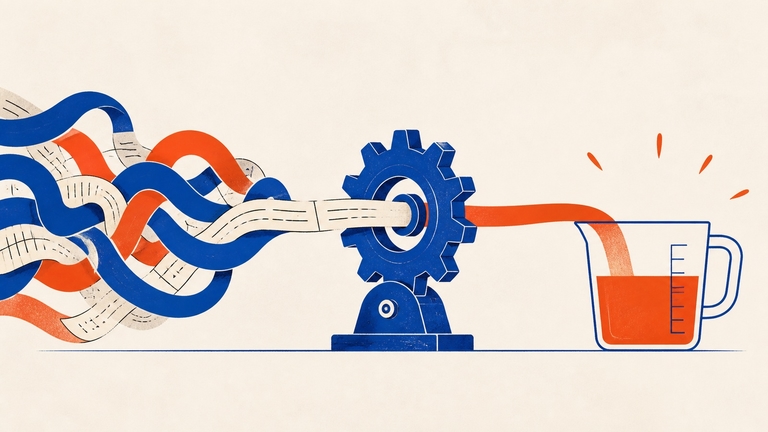
AI for small business: a 90-day plan instead of a shopping list
A 90-day framework for adopting AI in a small business, one tool at a time, with the ROI math that decides whether to keep paying for it.
Read more