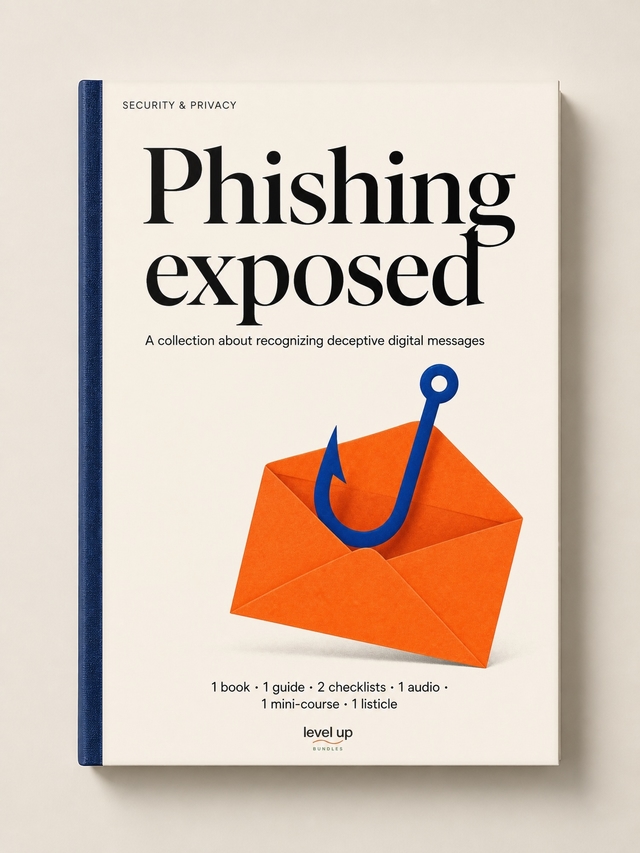
Phishing Exposed
Phishing has stopped looking like phishing. The Nigerian prince is gone; in his place are pixel-perfect login pages, urgent calls from "your bank", and Slack messages from "your CEO" that route to a number registered in another country. The training most companies run is two years out of date and the operators getting played are the same ones who'd swear they'd never fall for it.
The kit covers modern phishing defence. The book lays out the framework, a 7-second phishing detection protocol guide gives you the field-test, two checklists cover full device protection and post-incident response, a listicle catalogues the twelve quick checks that expose a scam, and a 7-day mini-course rehearses the patterns until detection is reflexive. The audio companion frames don't-take-the-bait thinking.
Aimed at the operator, employee, or family member who'd rather build the reflex now than learn it the expensive way.
Contents
In this bundle
7 items, in reading order.
 Audio
AudioDon't Take the Bait
Phishing has stopped looking like phishing. The Nigerian prince emails are gone; the current attacks are well-designed, well-targeted, and the operator who’s confident they’d never fall for one is exactly the operator most likely to. The four-episode audio series treats phishing recognition as a working skill: episode one breaks why phishing still works in 2026 and what’s changed about the attacks themselves, episode two installs the seven-second detection check that catches 90% of attempts before the click, episode three covers the security settings most operators have never enabled that block attacks at the platform layer, episode four handles the post-incident response for the moment something does get through. Made for commute listening. Pair with the ebook for the long-form treatment; the audio is the briefing version.
 Book
BookPhishing Exposed
Phishing has stopped looking like phishing, and the standard "look for typos and weird URLs" advice is a decade out of date. The current attacks use legitimate domains, real branding, AI-generated copy that mirrors the target’s voice, and timing tied to the target’s actual calendar. This ebook is the long-form treatment for the current era: the threat model for how phishing actually works in 2026 (with the specific attack patterns the FBI’s Internet Crime Complaint Center actually sees), the recognition habits that hold up against the new attacks (versus the ones that worked against the old ones), the password and account protections that limit damage when the recognition fails, the team-training approach that scales the recognition past the founder, the tools and routines that build daily safety, and the recovery playbook for the moment a phishing attack succeeds. Built for the operator who knows the old advice isn’t enough.
 Checklist
Full Device Protection
Most device-security audits stop at "install antivirus" and miss the seven other things that actually matter on a 2026 device. This checklist runs the full pass: the OS-level security settings that ship turned off by default (Windows Defender, macOS Gatekeeper, Linux equivalents), the automatic-update configuration that closes vulnerabilities without manual work, the app-permission review that catches what’s quietly accessing the camera and microphone, the browser-extension audit that removes the dormant attack surface, the mobile-device equivalents (iOS Lockdown Mode where it fits, Android equivalents, the cross-platform basics), the backup verification, and the lock-screen and sleep-state hardening. Run on every device the operator uses. Pair with the post-phishing response checklist for incident handling; this is the pre-attack hardening.
 Checklist
Post-Phishing Incident Response
The first hour after a phishing click decides whether the incident is a bad afternoon or a permanent business setback, and most operators waste that hour panicking instead of executing. This checklist sequences the response: the immediate-containment moves (disconnect the device, change the credentials of the affected account first, then any reused credentials), the impact assessment (what was actually accessed, what was exfiltrated, who needs to be notified), the financial-protection steps (freeze the cards, alert the bank, watch the accounts), the security-rebuild pass that closes the vector that got used, the team-and-customer notification call (when, what to say, what not to say), and the post-incident review that prevents the same vector from working twice. Pair with the device-protection checklist for the upstream hardening; this is the in-the-incident playbook.
 Guide
GuideThe 7-Second Phishing Detection Protocol
Most phishing recognition fails because the operator inspects the email for thirty seconds, finds nothing obviously wrong, and clicks. The recognition needs to be faster (so it actually runs every time) and structured (so it catches what casual inspection misses). This guide installs the seven-second protocol: the sender-and-domain check (the actual sending domain, not the display name), the link-preview pass (the URL the link goes to, not the text the link shows), the urgency-and-emotional-pressure read (the manufactured pressure that signals manipulation), the visual-cue audit (the small mismatches in branding that legitimate emails don’t have), the request-versus-pattern check (does this fit how this sender actually communicates), the verification path that doesn’t reply to the suspicious email itself, and the daily habit-build that makes the protocol automatic. Pair with the post-incident checklist for response; this guide is the prevention layer.
 Listicle
12 Quick Checks to Expose a Phishing Scam
Most phishing-detection advice runs to a paragraph each on three obvious tells, and misses the twelve specific checks that actually catch the modern attacks. This listicle catalogs them: the display-name-versus-actual-sender check, the hover-the-link-before-clicking move, the urgency-and-deadline language pattern, the unexpected-attachment red flag, the homoglyph URL substitution (the rn that looks like m), the sender-domain age check, the writing-style mismatch with the supposed sender, the brand-asset quality test (legitimate companies don’t use compressed JPG logos), the request-pattern check (does this sender actually ask for this), the email-header inspection for the suspicious moments, and two more that catch even sophisticated attacks. Each check takes under five seconds. Made for desk reference. Sibling to the seven-second detection protocol; this listicle is the expanded check menu the protocol synthesizes.
 Mini-Course
7-Day to Outsmart Every Phishing Scam
Most phishing training is a one-hour video the operator watches once and forgets in a week, and the next attack still works. This drip course installs the recognition as a daily practice across seven days: day one covers the psychology that makes phishing work (urgency, authority, fear, reward) and the specific reframes that interrupt it, day two installs the seven-second detection protocol, day three handles the email tells the modern attacks still leave, day four covers the emerging vectors (smishing, vishing, social-media DMs, fake login pages), day five lands the four-step verification system for the suspicious moments, day six covers the post-incident recovery if recognition fails, day seven sets the ongoing-vigilance practice that holds against the next year of attacks (including the AI-generated wave). Built for the operator who knows the next attack is coming.